Thursday, February 8, 2024

Rhinozine - February Issue


Our February issue is filled with exciting content you don't want to miss.


The Barcelona Collection:
A fusion of technology and tradition in Spanish jewelry, an intersection of artistry and innovation.

Kinetica’s Triumph at Expo Dubai:
A 140-meter diameter video mapping dome was created with creativity, precision, and adaptability.


Jewelry Design Challenge:
A digital fabricator project that's both fun and interesting using Grasshopper as a design tool.

Drafting is the "language of industry": a technical way of communicating ideas and designs through drawings.

Land Kit:
Design landscapes more efficiently by implementing computational design workflow.


Elevate Your Grasshopper Game:
Here are some valuable tips, tricks, and resources that you may find helpful for Grasshopper.


Fundamentals of digital drawing, 3D modeling, and visual programming in architectural design by Frank Melendez.


Discover many coupons and save big! (Valid from February 5 to April 5, 2024).


VisualARQ 3 beta released!

VisualARQ 3 beta is now available

This first beta version works on Rhino 8 and is only available for users with a VisualARQ license. While in beta, only the Rhino 8 installer will be published, but the final release will be available for both Rhino 7 and Rhino 8 (for Windows).

Some of the new features include a level manager, a table report panel, buildings with boundaries, reflected ceiling plans, guides, a clash report panel, a profiles manager, and many more!

*If you don’t have a license, we offer a free upgrade to VisualARQ 3 if you buy VisualARQ 2 from January 2024 until VisualARQ 3 ships.

Wednesday, February 7, 2024

Rhino 8 for Mac: Speed Enhancements - Video by Simply Rhino UK

 
Rhino 8 for Mac – Speed Enhancements

This Simply Rhino video focuses on Rhino 8 for Mac and looks at the performance enhancements offered by this latest Rhino version (v8) and the interface changes it brings.


It’s fair to say that the performance of Rhino 7 for Mac lagged significantly behind its Windows counterpart, most notably Viewport responsiveness and Raytraced rendering times.

The great news is that Rhino 8 for Mac fixes these issues and, as you can see in Simply Rhino's video, is 20 times faster for some tasks than Rhino 7.

BEAM (Rhino + BIM) now available for Rhino 8


BEAM: Enhance Your BIM Modeling


Bring the power of Building Information Modeling (BIM) to Rhino® with BEAM.

Extend Rhino geometry with BIM data and export to Autodesk® Revit™ or IFC 4.

Bring your designs to life with BEAM's advanced Rhino BIM capabilities. 

BEAM creates informed geometry inside Rhino, giving you complete control over your design process.

​Easily manage your objects, materials, and custom parameters using the intuitive Panel. All your information is saved within the document, making it easy to maintain and update your models over time.

​With BEAM, you can create complex, information-rich models with just a few clicks. Collaborate and deliver on any project with confidence, knowing that your models are accurate, up-to-date, and ready for the next stage of your workflow.

More info at BEAM and on food4Rhino...


Cyberstrak Modeling - New Plugin for Rhino 7/8:


Cyberstrak Modeling is a new plugin for Rhinoceros. 

It contains functionality for the creation and modification of NURBS geometry and meshes like:
  • Modeling of NURBS control vertices
  • Smoothing of Curves, Surfaces, and Mesh areas
  • Surface blend creation
  • Creation of Nurbs surfaces on selected Mesh areas

Focus is easy and intuitive usability. So, all modeling commands offer a local Undo/Redo, allowing easy comparison of different work stages.

There is also integrated analysis functionality that helps judge the current geometry's quality. In addition, analysis commands are available like:
  • Sections through geometry
  • Curvature analysis of Curves and Surfaces
  • Graphical deviation between objects (e.g., deviation display between surface to a mesh)
  • Analysis of transition quality between matched curves or surfaces
The analyses are following associatively all geometry modifications and will be dynamically updated during the modeling process.

More info at www.cyberstrak.com and on food4Rhino...


Monday, February 5, 2024

Rhino Student Suite *Academic Offer*


Attention students! We are excited to inform you about the Rhino Student SuiteA special offer for you!

When you purchase the Rhino 8 educational license or educational upgrade, you not only gain access to Rhino's robust design software tools but also receive five complimentary courses as part of this educational package, which includes:


- Introduction to Rhino
- Rhino Intermediate
- Step-by-step Introduction to SubD
- 2D Technical Drafting with Rhino
- Rendering with Rhino


Take advantage of this learning opportunity! 

Note: This offer is only available on the McNeel Miami online store in the Americas.

Thursday, February 1, 2024

Free Webinar: BIM Workflow and Landscape Modeling with RhinoLands


Title: BIM Workflow and Landscape Modeling with RhinoLands
Date: 6 February 2024
Time: 6:00 pm (WET) Lisbon

RhinoLands is a standalone BIM landscaping software that adds to
the power of Rhino the specific landscape tools of Lands Design.
This webinar, organized in collaboration with the Portuguese Association of Landscape Architects, will explain the design process with Lands Design by reviewing the following tools: Drawing, Terrain Modeling, Hardscape, Vegetation, Visualization, and BIM Documentation.

More about RhinoLands:

• Intuitive Interface: Simplifies the design process for professionals and newcomers alike.
• Advanced Modeling Tools: Uncover the tools that enable intricate and detailed landscape designs.
• Collaboration and Integration: Learn about RhinoLands’ collaborative features and seamless integration with other design tools.
• Time and Cost Efficiency: Explore how RhinoLands streamlines the design process, saving time and resources.

Thursday, January 18, 2024

Botcha x Rhino 2024.0 released!


Digital footwear creation has never been easier 
then now with Botcha x Rhino!

Botcha's latest release brings you groundbreaking features with the all-new last and color management panels, seamless support, and deep integration for Rhino 8. Countless issues have been swiftly resolved, and existing workflows have been fine-tuned to maximize efficiency. Workflows have been accelerated, as many cutting-edge tools have been introduced that enhance both Rhino and Grasshopper. 

The Botcha x Rhino package includes the plugin for versions from Rhino 7 onward, as well as several Grasshopper components.
  • Remapping from mesh, Brep, SubD to another object
  • UV Editor
  • Parametric modifiers
  • And much more! 

Getting to Know... Interstice: Democratizing 4D models!


Interstice aims to fill the gaps between stakeholders in the AEC industry by building custom solutions for complex challenges and guiding projects from concept through execution.

In this interview, Eric Guenther, Co-Founder and Principal of Interstice and Digital Practice Manager at FSE, talks about the company's origin and how the desire to explore beyond traditional structural engineering led to its formation. He discusses the potential of Mass Timber, highlighting its sustainability, aesthetic appeal, and cost-effectiveness. He talks about the challenges of specialization and siloing in the AEC industry and explains how Interstice aims to create innovative solutions that span across various domains, bringing cohesiveness to the industry. Enric also emphasizes the importance of tools like Rhino, Grasshopper, Python, and ShapeDiver in transforming project delivery and client collaboration.

Friday, January 12, 2024

Forecasting girth growth of trees with Rhino and Grasshopper


In a pioneering research endeavor, a team at Green Technologies in Landscape Architecture at the Technical University of Munich focused on predicting the relative girth growth of tree trunks and branches within inosculated tree branching networks. Using Rhino, they rebuild initial topological branching skeletons based on the trees grown by farmer Axel Erlandson. Identifying water supply and usage points on the trees, researchers used Grasshopper to translate geometric instances into mathematical equations, adhering to the pipe model theory and circuit analogy. This enabled the calculation of water distribution across branches. The iterative growth process updated girth stands through a loop function. 

Rhino's efficiency in 3D modeling and seamless data transfer to Grasshopper empowers designers to use this tool for creating innovative living structures in urban settings. 

More information...

Thursday, January 4, 2024

RhinoArtisan 5.2 announced


2Shapes has just released RhinoArtisan 5.2, introducing Curator, a new feature defined as The Thematic Library of Elements

In 2Shapes words: "A curator is the keeper or custodian of a museum. We have developed this feature in the belief that inside any jewelry designer lays a curator, who safeguards the jewelry designer’s creations and works of art. These works of art only grow in prestige and value over time. 
Hence, our curator holds a treasure for every designer, by featuring an innovative library of elements that spans across a variety of themes, giving designers quick and efficient access to a variety of predefined elements".

From classic to contemporary designs, the Curator expedites your creation process by providing instant inspiration and ready-to-use elements.

Learn about this and other new features included in RhinoArtisan 5.2 here.

RhinoArtisan 5.2 is compatible with Rhino 6, 7, and 8.


Thursday, December 28, 2023

Land Kit 1.3 Stability Release


LANDAU has just announced the release of Land Kit 1.3 with several improvements, new features, and new workflow. Are you a Rhino for Mac user? Great news! Their design tools and templates for landscape designers are now available in Rhino 8 for Mac, too.

Read the full article...

Wednesday, December 20, 2023

Yacht 3D Modeling with Rhino – Level 2

Yacht 3D Modeling with Rhino – Level 2

The second course of a three-part on-demand video-based series dedicated to Yacht Modeling with Rhinoceros, this course will take you from an intermediate to an advanced level. After taking the course, you will be ready for a real-world experience.

This course is structured to provide enhanced skills and knowledge to allow you to achieve remarkable designs and reach new heights of creativity.

It begins by diving into pro-surface techniques. Then, it continues by mastering continuity and advanced solids tools. It culminates with a 60-foot ocean sailing yacht as a final project, where you will apply all the concepts covered during the course.

In the final project, we will use our continuity techniques to create seamless connections that will truly impress you. You will recognize the outstanding details of this model: the rounded bow, a true challenge in itself; the bowsprit blended with the hull surfaces; and the deckhouse with plenty of recesses, protrusions, and variable rounded transitions.

This course builds on and expands the knowledge you have acquired or are acquiring in the Yacht 3D Modeling with Rhino - Level 1 course. It focuses on introducing new features and developing new skills. It also features an entirely new advanced yacht project. If you already have some knowledge of 3D modeling and Rhinoceros, you may have the expertise required for Level 2.

With this fantastic course, you can keep making your way through the world of yacht design, naval architecture, and marine 3D modeling!


More information and registration ...

Rhino3D + Grasshopper: Advanced Modeling Methods for Architects by Sabit


A new course organized by Sabit


The course combines theoretical knowledge with practical applications, ensuring a seamless transition from learning to implementation. Learn how to create intricate designs, develop spatial concepts, and bring your ideas to life. Immerse yourself in the world of the latest trends in architectural design with us.

For whom?

For experienced architects, the course is an opportunity to broaden their horizons and raise their architectural projects to a new level. For beginners it is a solid basis for learning. Together we will discover the fascinating world of architectural 3D modeling and visual programming.

What will you learn?
  • Learn the basic aspects of the program's interface
  • Learn the practical applications of parametric design
  • Learn to work in 3D space
  • Automate manual design tasks to make your work more efficient

Date: 29 January 2024
Form of studies: Online
Schedule:10 lessons of 45 minutes
Language: Polish
    

Monday, December 18, 2023

Grasshopper UK UGM November 2023 – Meeting Notes


On Tuesday 28 November 2023, Simply Rhino held the Grasshopper UK User Group Meeting at AKT II. This free event was kindly hosted by the team at AKT II and delivered to a packed room at their London office.

Following is a meeting report for those who could not attend and those who were there and would enjoy a reminder of the presentations. Our thanks to Luca Biselli for his help with the write-up of this meeting.

Takeaways/learning from Grasshopper UK User Group Meeting | November 2023

  • Grasshopper is progressively establishing itself as an indispensable and powerful tool, adequate for managing intricately complex designs right from the initial phases of the design process.
  • By considering fabrication requirements in the early stages, one can make informed and methodical decisions, preventing critical factors from being determined in the advanced stages of the design process, where they could have significant implications for delivery timelines and costs.
  • Collaboration among diverse professionals is paramount, ensuring comprehensive awareness and understanding among all team members.
  • These presentations highlight the crucial significance of involving all design stakeholders right from the project’s inception. Finally, sharing workflows with other professionals is crucial for their adaptability to various projects across the industry.

The next Grasshopper UK meeting will take place in early 2024. To be among the first to hear about our upcoming events, sign up for our newsletter and the Simply Rhino social channels, including LinkedIn and Instagram.    

Complete notes and more information ...

Thursday, December 14, 2023

Video tutorial about PushPull (new in Rhino 8)


PushPull - new in Rhino 8

Charles Panke from Filou created a video tutorial (in German) to explain the new Rhino 8 feature PushPull.

It allows you to extrude a polysurface face while interactively adding or removing volumes. PushPull also simplifies the process of splitting or extruding a face and allows for the selection and unification of multiple regions.

In this video for German speakers you will learn how to:
  • Apply PushPull on solids
  • Create and use regions
  • Push and pull double-bent surfaces

SubD Crease in Rhino 8 by Simply Rhino UK


SubD Crease introduces weighted creases to Rhino. These allow you to add soft, defined transitions to be added to a SubD form without increasing complexity.

In this Simply Rhino video Phil Cook, our Senior Rhino trainer, starts by explaining the new command using a simple example and comparing this to the older Rhino 7 workflow before moving on to a practical example of an automotive sketch model.

Here, Phil demonstrates adding and controlling character lines to the model and how the new SubD Crease command allows for easy iteration at the design stage. There are also general tips on SubD layout and creating a custom display mode.


Wednesday, December 13, 2023

Video tutorial on a new Rhino 8 command: ShrinkWrap (in German)


What is ShrinkWrap?

Charles Panke from Filou created this video in German on ShrinkWrap, one of the new Rhino 8 features.

Using this command, you can create a watertight mesh from surfaces, solids, meshes, SubDs, or any combination, whether open or closed. And if you have point cloud data, ShrinkWrap can create meshes directly from that, too.

What is ShrinkWrap ideal for?
ShrinkWrap is the tool you choose to create:
  • Meshes for 3D printing
  • A solid union mesh from multiple objects
  • A solid mesh from 3D scan data fragments
  • Meshes without internal self-intersections
  • Offset meshes for shelling
  • Meshes from point clouds during reverse engineering
  • Valid closed meshes from broken or often hard-to-repair geometry
ShrinkWrap video tutorial
In this video you will learn:
  • How to create an editable geometry
  • The use of ShrinkWrap for the modeling of radii
  • How to create complex wall thicknesses in NURBS
Please note: German is the language used throughout the tutorial.

ShapeDiver & Rhino Compute Explained!


As 3D modeling and design become increasingly complex, many designers and engineers turn to cloud-based solutions to streamline their workflows and collaborate more effectively with colleagues, clients, and other stakeholders.

If you are thinking of or currently working on a project that requires running parametric CAD models on the cloud, read the following article. It explores the differences between using Rhino Compute and ShapeDiver through five common use cases.

Read ShapeDiver's full article...


Monday, December 11, 2023

Rhino Anywhere Plugin on food4Rhino


Unleashing Rhino's Power Anywhere, Anytime! Rhino Anywhere revolutionizes Rhino by enabling users to stream a Rhino Instance to the cloud, facilitating complex computations and customized interfaces. 

A team of 10 AEC tech professionals developed Rhino Anywhere over 25+ hours during the AEC Tech Hackathon at Thornton Tomasetti’s Offices in New York. Drawing inspiration from pixel streaming technology, the objective was to make Rhino accessible to diverse audiences by designing unique interfaces. 

Through Rhino Anywhere, Rhino’s interface can be customized and streamed over an internet connection while maintaining Rhino’s processing power. Imagine large, colorful buttons for children to engage with 3D design, inspiring creativity and learning. Further, the tool allows for custom interfaces catering to individuals with limited hand or arm articulation, fostering inclusivity. Overcoming challenges, the team exemplified the potential to reshape design tools, emphasizing adaptability, creativity, and accessibility in the 3D world.


Rhino Anywhere expands the use cases for Rhino by not only highlighting it as an excellent modeling and CAD tool but also enabling public and client-facing tailored applications to suit unique needs.

Collaborators:
Alfredo Chavez (Heatherwick Studio), Callum Sykes (Structurecraft), Dan Cascaval (Structurecraft), Eleftherios Kourkopoulos (Foster + Partners), Emil Poulsen (Thornton Tomasetti), Jo Kamm (Dimensional Innovation), Josh Grift (Structurecraft), Justyna Szychowska (KPF), Kyle Slugg-Urbino (Stride), Sergey Pigach (Thornton Tomasetti)


Wednesday, December 6, 2023

Enscape for Mac: Rhino now supported


Enscape is a real-time rendering plugin for Rhino that allows designers and clients to quickly visualize every project element, at any time. Previously only available on Windows, Enscape has just released a plugin version for macOS.

With real-time rendering capabilities, architects and designers can make on-the-fly adjustments, visualize different design iterations, and ensure their creative vision is accurately portrayed and communicated to clients.

Enscape integrates directly into Rhino, meaning you can design and visualize in real time within your modeling tool.


Introducing The ShapeDiver Desktop Client ft. Adobe Illustrator


ShapeDiver recently released its Client Application and, with it, the ability to exchange data in real-time between ShapeDiver models (Grasshopper files running on the cloud) and local desktop software such as Rhino, Adobe Illustrator—and many more in the future. Their Head of Product, Mathieu Huard, explains how this works in this video.


Wednesday, November 29, 2023

VR Sketch: high-performance Virtual Reality viewer


VR Sketch is a plugin that lets you render any model in Virtual Reality without creating discomfort and without changing the model. This sounds like it should not be that hard—but it is something that is, surprisingly at least for us, technically hard to achieve. Virtual Reality requires high performance to avoid inducing nausea; we have achieved this through extensive optimizations, making VR Sketch the fastest and most comfortable viewer out there.

This is achieved through sketchy art style, without photo-realism, light effects and high definition textures. However, models with millions of triangles can be shown in VR quickly and with a single button. The model remains synchronized with Rhino: changes done in Rhino are immediately propagated to VR. You can walk around or inside your prototype, then do tweaks in Rhino and quickly iterate. You can even do two-person collaboration, with one person in VR and the other one on the screen editing the Rhino model.


Friday, November 24, 2023

World Expanded / NFTS and Rendering - The new book by Tobias Eder (in German)


The German sculptor Tobias Eder has realized his virtual art in digital space since 2009 using McNeel's Rhino software. Since then, a large number of artworks have been created with Rhino. 

His book, published in November 2023, comprises 400 pages with numerous illustrations and provides a deep insight into Eder's digital world. It includes futuristic spaces, digitally created sculptures, which are often realized using 3D printing, and even the Old Synagogue in Freiburg, which was cast in bronze based on his digital model and is now installed in front of the University Library in Freiburg. Text contributions in the book reflect the new art in digital space, and the art historian Wolfgang Ullrich focuses on the NFTs created by Eder, which are also shown in the book.

Tobias Eder was born in 1966 in Rheinfelden/Baden. He studied sculpture at the art academies in Karlsruhe and Munich and now lives and works in Freiburg im Breisgau. With Rhino, he designs both profane and sacred spaces and in some cases their new contemporary furnishings. 


World Expanded
NFTS and Renderings, Tobias Eder

Softcover, 22.5 x 17.2 cm, 400 pages, numerous illustrations
With essays by Wolfgang Ullrich, Mareike Hartmann, AI/Marek Kralewski, Tobias Eder
Euro 35.- (plus shipping)
Published by Galerie Marek Kralewski
ISBN 978-3-945173-18-1

Jevero 2024.0 unveils new features for shoe patterns and costing

New features for shoe patterns and costing

Jevero, the pattern-making plugin for Rhino, has recently introduced a series of exciting new features.

As part of the three updates/year schedule, this update encompasses various enhancements in both Jevero and JeveroCost, offering users a fresh set of tools to improve pattern-making and cost calculation.

One of the main topics is the compatibility with the new Rhino 8 release.

Discover the details of the latest features...

Wednesday, November 22, 2023

Student's contest by SABIT: Design for a better life


Our Polish reseller SABIT has organized the following contest for local students:

Design for a better life: Create a 3D model in Rhino for improving the lives of others

3D modeling can be used to create innovative solutions to improve life and address various social, medical, environmental, and technological challenges in society.

SABIT invites all students to participate in this competition, where they will have the opportunity to showcase their skills in Rhino and creativity in developing 3D models to improve the lives of others. This is a challenge to develop innovative projects that can make the world a better and more comfortable place.

Submissions deadline 24 December.


Monday, November 20, 2023

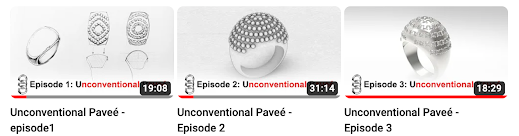
Jewelry un-tutorials


Un-tutorials. What? It's an educational series based on TV episode logic, not the typical tutorial pattern. Showing a real-case scenario using Rhino, Giuseppe and Beatrice talk through their process of designing a ring, a real-life scenario.


They go through the briefing in Episode 1 to create the first sketches in pencil and paper. Then, they move on to Rhino to model the outer shell of the ring and the curves used as guides for the stone placement.


Episode 2 shows the same workflow (getting the curves and placing the stones) in the Grasshopper parametric environment.


In Episode 3, Giuseppe and Beatrice refine the Grasshopper definition, placing and orienting the actual stones to get to a finished product, ending the video with a few renderings.


Like that TV series you watch, there is more to come later.


See Rhino Jewelry Stories...

Thursday, November 16, 2023

Rhino takes center stage: The urban design revolution


In the dynamic realm of urban design, Rhino is emerging as the go-to platform, redefining how cities are conceptualized and brought to life. Rhino has transcended its traditional role, now standing tall as the main design platform for projects on an urban scale.

This year, the Municipality of Haidari in Athens, Greece, embarked on a visionary urban design project to elevate the quality of urban life. This transformative endeavor focused on the bioclimatic regeneration of green areas, carefully tuned to the local climate and ecosystem.

Led by Legkikas Sokratis & Associates from CAD Academy, Greece, this project reached far beyond conventional urban renewal. Public spaces were reborn, from bustling squares to tranquil school yards and charming pocket parks. 

What set this urban design initiative apart was the strategic use of cutting-edge software applications, underscoring the role of technology in shaping the urban landscape. Rhino and VisualARQ took center stage, orchestrating intricate 2D and 3D designs that formed the blueprint for Haidari's urban metamorphosis.  With its BIM features, Lands Design seamlessly integrated landscape requirements, ensuring a harmonious blend of nature and architecture. Finally, Twinmotion stepped in for renderings and captivating video presentations, bringing the entire vision to life.

The Haidari project in Greece is a testament to the power of Rhino's tools in reshaping urban environments and embracing the future of urban design. As cities worldwide grapple with the challenges of the 21st century, Haidari stands at the forefront, a shining example of how Rhino's capabilities extend beyond software, influencing positive change in the very fabric of our cities.

Watch the video...


Wednesday, November 15, 2023

How To Generate Complex Technical Drawings with Grasshopper | Part 3


In Parts 1 and 2 of this tutorial series, Edwin Hernández explained how to create complex technical drawings with Grasshopper using the Squid Plugin (ShapeDiver Edition) and how to create an editable template, including page orientation, margins, and text boxes, where you can input various types of data for any project type.

In this third and final part of the tutorial, he explains how to merge the 2D drawings with the template, add measurements and BOMs, and export the final document as a PDF.