Wednesday, June 14, 2023
SudoHopper3D is a fun way to learn Grasshopper!
Tuesday, June 13, 2023
New Land Kit plugin V12 release
The latest version of Land Kit 1.2 bolsters your Land Kit performance while introducing Water Kit!
Whether you’re just getting your toes wet or diving in, Water Kit has the tools to help you understand water. Dip your toes into Water Kit:
- Flowlines. Trace water on your site with new and improved flowline fidelity!
- Upslope Area. Find what areas contribute to runoff on your site with a refined Upslope Areas tool!
- Add Catchment layer. Discover where water settles on your site!
- Carbon Calculator beta. Find out how your site contributes to carbon over time!
- Add CSV Data. Bolster your plants and areas by adding carbon calculation values and more!
- CN Calculator beta.
- Calculate TR-55 Curve Numbers. A simple solution for a complicated job!
- Add Static Storage Layer. Determine how much static water storage is in selected areas.
- Add Diffuse Layer. Blur an environment layer.
- Add Layer Overlay. Combine index layers using a master overlay layer!
- Add Occurrence Layer. Tally the density of flowlines on your site.
Also, there are improvements in Environment, Paving Kit, Topo Kit, and Plant Kit.
Monday, June 12, 2023
Revit Essentials for Rhino and Grasshopper Users - English or Spanish
Monday, June 5, 2023
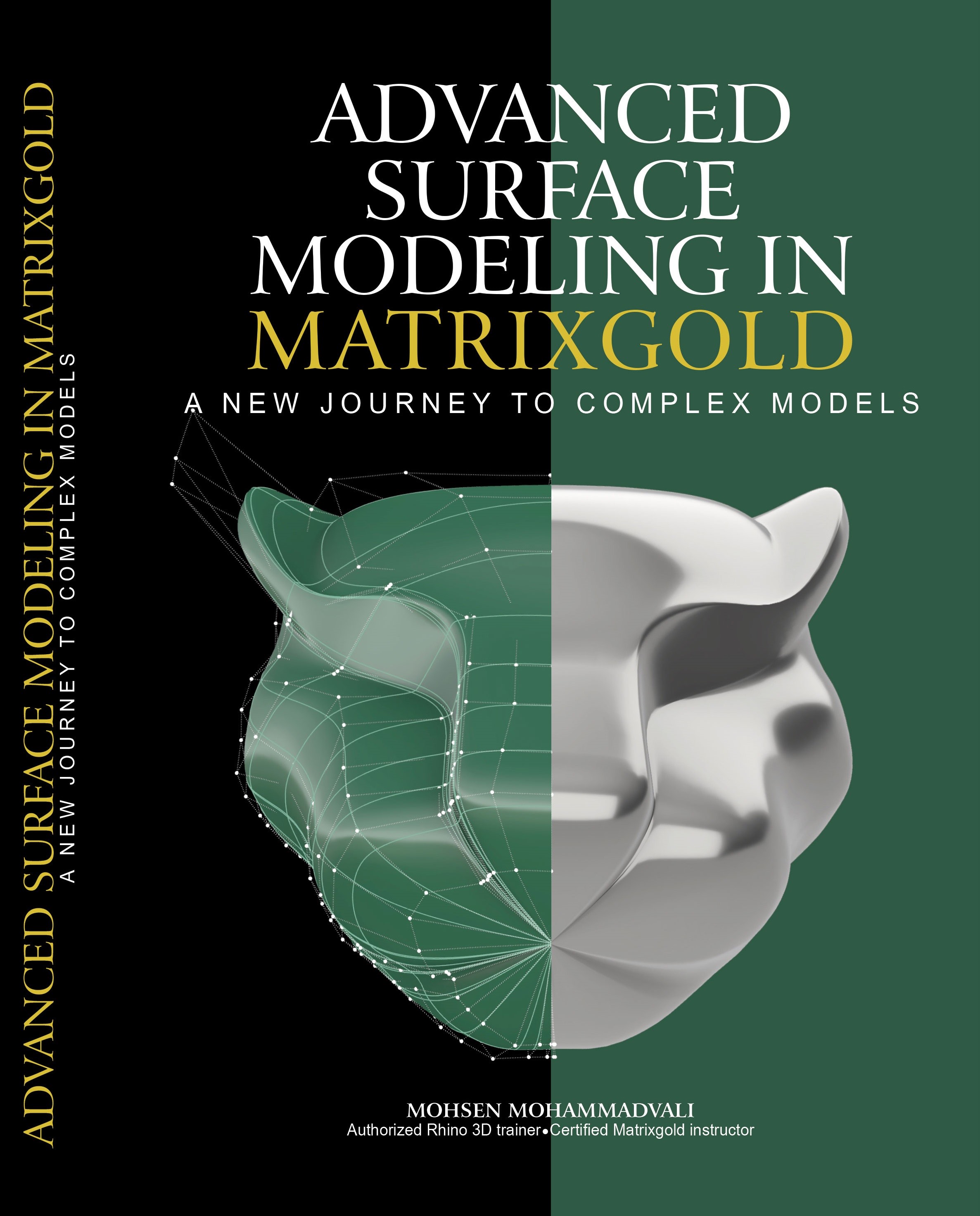
Free book: Advanced Surface Modeling in MatrixGold 3
Mohsen Mohammadvali has written a free digital book in English about Advanced Surface Modeling in MatrixGold to share with Rhino users.
Advanced Surface Modeling in MatrixGold is an educational book that provides CAD designers with the tools and techniques they need to create complex and organic models. Whether you're an experienced designer looking to expand your skill set or a newcomer to the world of CAD, this book will guide you through surface modeling using MatrixGold software. With this book as your guide, you can create stunning, high-quality designs that push the boundaries of what's possible in CAD.
Mohsen Mohammadvali is a jewelry CAD designer, authorized Rhino Trainer, and certified MatrixGold instructor in Bangkok, Thailand.
Note: An earlier post had a bad link, which we have now fixed. Thanks to all those who pointed that out.
Thursday, June 1, 2023
How To Generate Complex Technical Drawings with Grasshopper
Click here for more ShapeDiver video tutorials...
Wednesday, May 31, 2023
How to design a serpentine wall
- Discover the principles of parametric design and algorithmic thinking that drive the creation of exceptional architectural masterpieces such as the Serpentine Pavilion by the architecture firm BIG.
- Design, optimize, and fabricate a serpentine-inspired modular wall, incorporating innovative techniques for efficient construction and assembly.
- Master using Grasshopper to bring your creative ideas to life.
- Apply fabrication techniques like Excel exporting and unit rationalization for effective construction workflow.
- Understand how to create parametric design systems that allow you to adapt and iterate quickly.
Monday, May 29, 2023
3D printed surgical guides combined with monitored guidewires for placement of cervicothoracic pedicle screws
Rhino and
its medical plugin Rhino3DMedical have been used on a technical note in a
study on the accuracy and safety of 3D-printed surgical guides for the placement of
cervicothoracic pedicle screws. The study was led by the Neurosurgery
Department of Centro Hospitalar Vila Nova de Gaia/Espinho and Pagaimo Medical
from Figueira da Foz, Portugal.
Thursday, May 25, 2023
CrossGems 1.2 released
CrossGems 1.2 is a free update for all CrossGems and Panther users that, in addition to bug fixes, includes new tools and features to simplify workflow and offer more design versatility.
The main features of this version are:
Wednesday, May 24, 2023
3D footwear creation in Rhino with Botcha
Footwear designers constantly seek efficient workflows and tools to enhance their creative process. This Rhino + Botcha workflow offers valuable features that can significantly improve footwear development.
Watch the video to learn how the remapper, modifiers, and UV functionalities can help streamline the 3D footwear development process.
2Shapes 4.1 for Rhino now released
2Shapes has just announced the release of 2Shapes for Rhino – Version 4.1. This update brings a range of enhancements and new features that will elevate your Rhino design and modeling experience to new heights.
Among the general performance improvements and multiple bug fixes, there are a few significant improvements that make version 4.1 an essential upgrade:
- Seamless integration with 2Shapes Next, the in-store jewelry design platform
- Compatibility with new Free, Business, and Unlimited Plans
- Complete integration of Moissanite
Thursday, May 4, 2023
KeyShot for Rhino - Online in English and Spanish
The Essentials in KeyShot for Rhino 7 online course is now available in English and Spanish. It's still a WIP (work in progress), and new chapters will be added weekly, so for a limited time, take advantage of the WIP introductory price and get 50% off with code: KEYSHOT50OFF
KeyShot is one of the fastest and most user-friendly programs for creating photorealistic images and animations. During this course, you can explore and experiment with materials, textures, lights, cameras, and editing to obtain quality results in your Rhino projects.
Dulce Chavez, the author of the course, has designed this course for beginners, so join her and learn step-by-step how to merge Rhino and KeyShot for your projects!
Monday, May 1, 2023
Getting to know... CyBe: 3D Concrete Printing meets Grasshopper!
In this interview, ShapeDiver talks with CyBe, a Dutch technology company revolutionizing the construction industry with its state-of-the-art 3D concrete printing technology. Explore how they use this technology to create affordable housing while reducing the carbon footprint of their projects.
You'll also learn about the different types of printers they offer and how their proprietary software tools streamline the printing process. Dive into how they use Grasshopper and ShapeDiver to create online configurators that any client can easily use.
Friday, April 28, 2023
Robotic Fabrication with COMPAS FAB
Thursday, April 27, 2023
Digital Fabrication Showcase by RhinoFabStudio
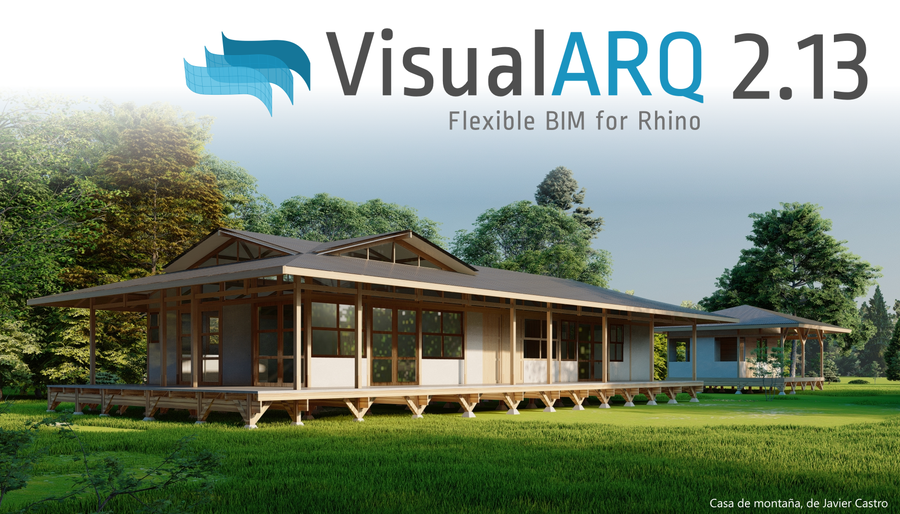
VisualARQ 2.13 released!
VisualARQ 2.13 is now available to download!
This is a free update for VisualARQ users.
It includes new features and fixes for issues reported by users:
- Now reference VisualARQ objects with the Grasshopper Player
- Added Chinese (Traditional) language
- Component to get the start and end planes of a beam
- New API scripts available
- Improvements in performance
- Support to V-Ray Interactive Render
VisualARQ Labs
One of the main features of VisualARQ 2.13 is the option to create new commands involving VisuaARQ objects. We have arranged some of them in the VisualARQ Labs plugin, which streamlines the modeling process.
Wednesday, April 19, 2023
Bella, a Render plugin for Rhino WIP
DiffuseLogic is pleased to announce the public release of Bella 23.3, which supports the future Rhino 8 on both Windows and MacOS (supporting both Intel for
Rhino 6 & 7 and Apple Silicon for Rhino 8). Other highlights include
improvements in performance and many features such as grass, volumetrics,
subdivision, displacement, IES lights, render-time corner rounding, new 2D and 3D textures, render-time projections for all 2D textures, Live Lights,
and of particular interest to many Rhino users, an Auto-boolean feature that
allows proper rendering of gems with no need to cut pockets.
Monday, April 17, 2023
Tweener plugin: New version on food4Rhino
In Rhino, to tween means to generate curves that interpolate between given input curves. The word's first appearance is not entirely clear—it was used at least as far back as in Tolkien, but it is safe to think of the word as the verb form of "between". In any case, tweening is a very basic operation and a fundamental part of the designer's toolbox. However, it can quickly result in curves that intersect each other or self-intersect, even on moderately complex input curves. Crossing tween curves are often undesired for aesthetic and practical reasons.
Tweener is a Rhino and Grasshopper plugin that solves this problem. It strictly guarantees the absence of crossings and intersections whenever the input curves don't intersect. In its simplest use case, the TweenPlanCurv Grasshopper component can be used directly as a stand-in replacement for the TweenCrv component, and the command TweenCurves2 can replace TweenCurves. Moreover, Tweener allows any number of closed planar input curves—not just two or any two but not necessarily closed input curves on a given surface or brep—not just in a plane. Tweener can also generate an entire color gradient scalar field instead of finitely many curves.
Whereas control points control NURBS curves, a Tweener curve is defined by the shape of the region's boundary curves. Thus, they are drawn interactively by manipulating their boundary. This provides a different perspective on curve modeling: In fact, Tweener comes with an interactive editing environment, starting with the TweenerStart command, that allows the designer to tweak and adjust the often very generic look of force field curves to give them a more individual hand-drawn touch. All Tweener output curves are modeled simultaneously, and at the same time, Tweener guarantees to maintain the absence of crossings and intersections.
Friday, April 14, 2023
Empowering Engineers with ShapeDiver: The Future of 3D Product Configurators
Monday, April 10, 2023
A New Digital Wind Tunnel App in Rhino
April 19, 2023
3:00 pm CET / 9:00 am ET
Attend an upcoming webinar and learn how architects and engineers use this new app for microclimate design insights. See how to set up and run a complete simulation of a city model from Rhino step by step, including how to:
- Start with a CAD model in Rhino
- Use the app to set up the climate data and location
- Run the simulations without leaving Rhino
- Postprocess and visualize the simulation results directly in Rhino
This app was developed jointly by Thornton Tomesetti and SimScale. Presenters are Jeroen Janssen and Richard Szoeke-Schuller. Jeroen is an Associate Director leading the CORE studio team for Thornton Tomasetti in London. Jeroen mainly focuses on the design of microclimates for urban spaces. Richard Szoeke-Schuller is a Product Manager at SimScale and has an extensive background in applied mathematics and mechanical engineering.
Register for this live event. Even if you cannot attend, you will receive the recording.
Thursday, March 30, 2023
xNURBS Rhino Plugin V6.1 Released
xNURBS announces the availability of Version 6.1. And V4/V5/V6 customers can get a free upgrade to V6.1. V6.1 includes a number of enhancements, e.g., improving surfacing quality and reducing the number of control points needed to satisfy the required precision, etc.
xNURBS also produces a tutorial video, which explains the xNURBS settings in detail and helps users to understand how to use xNURBS efficiently and correctly.
The following is a short answer to "why xNURBS".
Key Features of xNURBS:
- Unlimited capacities for solving NURBS: Its optimization algorithm can solve virtually any NURBS surface in milliseconds (regardless of the constraints' complexity).
- High-quality surfaces: For a given set of constraints, xNURBS’ optimization algorithm uses an energy-minimization method to generate the smoothest NURBS surface among all possible solutions. The generated surface quality is outstanding.
- xNURBS is one super powerful NURBS tool that fixes virtually all surfacing issues for existing CAD software.
- Easy to use: It uses one simple UI for all kinds of NURBS modeling.
- Super robust: xNURBS is rock solid and works flawlessly.
- Native CAD surfaces: xNURBS is based on NURBS, i.e., the native CAD surfaces, which can be directly used for any CAD modeling operations without geometry translation.
Wednesday, March 29, 2023
Tutorials from Columbia Graduate School of Architecture, Planning and Preservation
The Columbia Graduate School of Architecture, Planning and Preservation (GSAPP) now has a series of self-guided course modules, providing an introduction to the fundamentals of computation and spatial design for students entering the GSAPP Computational Design Practices program at Columbia.
The series of online courses, the Smorgasboard, includes an intro to Rhino, an intro to Grasshopper, Computational Design in Grasshopper, and Python in Rhino / Grasshopper.
The Smorgasbord tutorials complement a series of CDP foundation classes, which will include discussions, reading, feedback, and more tutorials. These tutorials are selected to provide a particular computational grounding to facilitate discussion, exploration, and creation of projects at the intersection of design, computation, and the built environment.
While the Smorgasboard is designed as the pre-program curriculum for the GSAPP Masters of Science in Computational Design Practices, it also welcomes any student interested in Computational Design across all programs at GSAPP.
Monday, March 27, 2023
Analyze the Swiss Re Building
Thursday, March 16, 2023
Designers Corner: Dan Cole from Webb Yates Engineers!
Webb Yates Engineers is a multidisciplinary engineering practice comprising structural, civil, mechanical, electrical, and public health engineers.
In this interview, Dan Cole, one of their Structural Engineers, discusses his background, what sparked his interest in the AEC industry, and the benefits of using parametric design tools like Grasshopper. He also provides some specific examples of how computational design is beneficial in his job as a Structural Engineer.
Read the complete interview...
Thursday, March 9, 2023
New Dutch Rhino tutorials
Wednesday, March 8, 2023
The Efficiency Boost: Computational Design in AEC
March 21, 2023, at 5 PM CET
Free Live Webinar
Join ShapeDiver on Tuesday, March 21, for a webinar to showcase the latest computational design innovations for the Architecture, Engineering, and Construction (AEC) industry.
Hear from a panel of experts, including Thornton Tomasetti | CORE Studio (USA), Webb Yates Engineers (UK), Construsoft (Spain), and Cake Houses (Czech Republic), as they share how they are driving efficiency gains by leveraging Grasshopper and ShapeDiver in their respective projects.
Whether you are an architect, engineer, builder, or designer, this event is the perfect opportunity to learn from four of the most innovative companies in the AEC space. You will also have the chance to interact with the panelists and ask questions during the Q&A session, gaining a deeper understanding of how these technologies work and how you could leverage them in your projects.
Tuesday, February 21, 2023
Augmented Vision workshop results
Monday, February 20, 2023
Learn Rhino.Inside Essentials with i am the studio
Tuesday, February 14, 2023
SudoHopper3D - Introduction to Grasshopper
Check out the Introduction to Grasshopper with SudoHopper3D online course in English and Spanish to start learning Grasshopper now!
This course is free, and you will obtain a certificate of attendance upon completion.
When you complete this Introduction to Grasshopper with SudoHopper3D course, you will be ready to continue learning Grasshopper with the more advanced Computational Design with Grasshopper online course, also offered in English and Spanish!
Check out this preview of the course:
Thursday, February 9, 2023
Getting to know… Saw & Sew: Made-To-Order Furniture!
Saw & Sew offers one-of-a-kind modern designs created just for you, tailored to your needs, and made in your local community.
In this interview, Winston Ferguson a Canadian entrepreneur living in the UK, explains how he created this made-to-order furniture brand for the mass market using Grasshopper and ShapeDiver.
Wednesday, February 8, 2023
Enscape: Virtual reality and rendering in shipbuilding
Enscape, a real-time rendering and VR plugin, is featuring how Damen, a family-owned shipbuilding business with headquarters in the Netherlands, uses real-time visualization to optimize its design process.
They have incorporated Enscape into their projects and daily workflow as a virtual reality tool compatible with Rhino.
“One of my colleagues was experimenting with virtual reality, and we wanted to have an easy implementation tool in Rhino. That’s how we found Enscape,” says G.A. Plan Engineer Stefan van der Made.
Enscape was the first virtual reality visualization tool used in the company. While initially it was used primarily for virtual reality walkthroughs, they later discovered the benefits of creating renderings with it.
For details about how Damen uses Enscape within their shipbuilding process, you can read How This Shipbuilding Company Uses Real-Time Visualization to Optimize Their Design Process.


.png)


.png)


.png)